WordPress: Form Booster
Last updated 02/05/2026
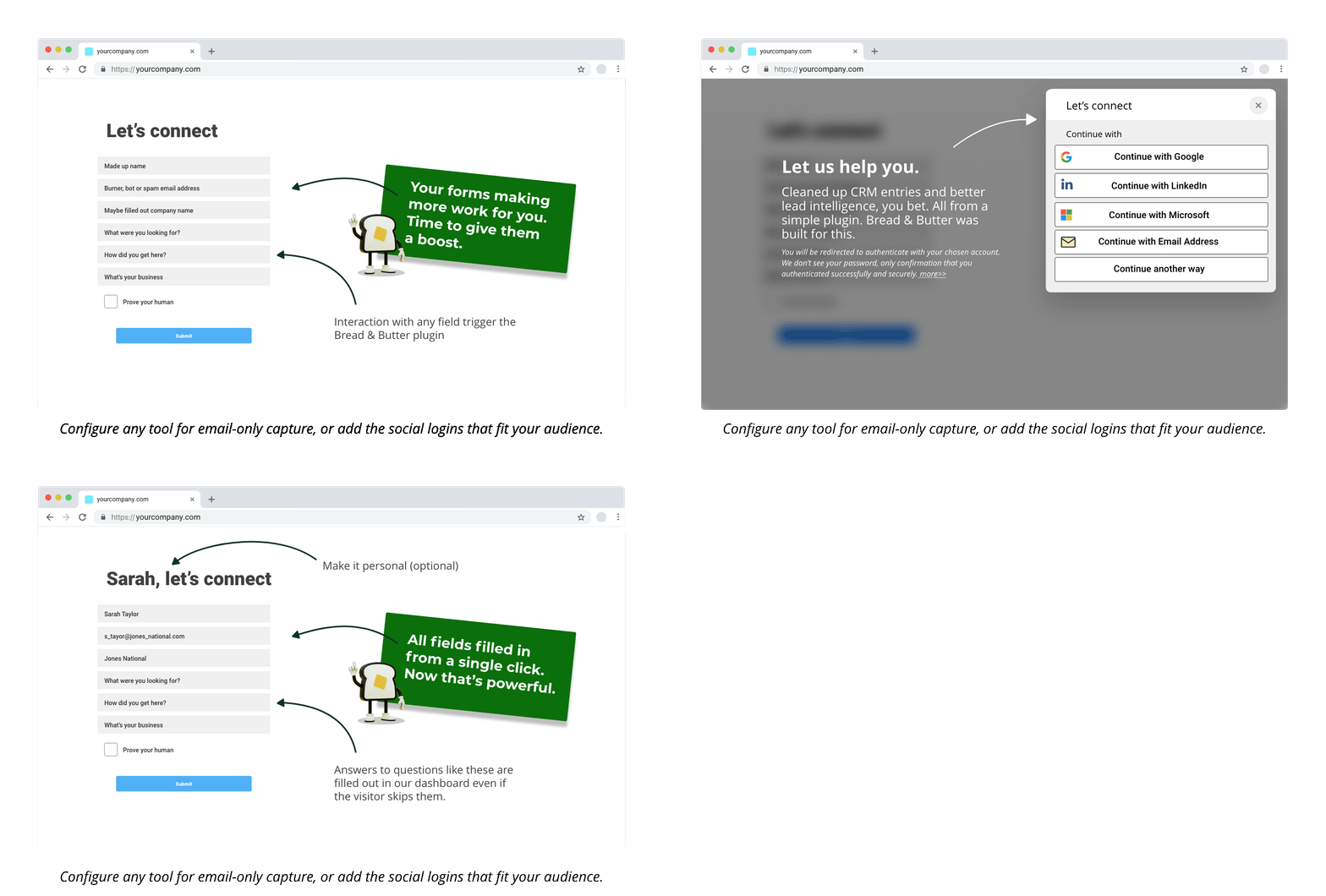
The Form Booster allows you to gate your forms, requiring users to convert with Bread & Butter in order to submit your form. This tool reduces spam meeting requests, and ensures that you’re only getting form submissions from real users who provide a real email address.
Follow these steps to enable the Form Booster.
Step 1
In your WordPress admin, open the page or post that your form is embedded on.
Step 2
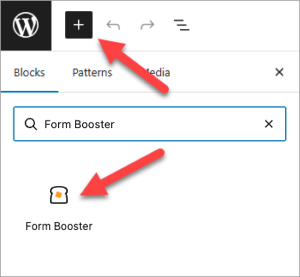
Add a new block, and search for Form Booster and add the block element.
Step 3
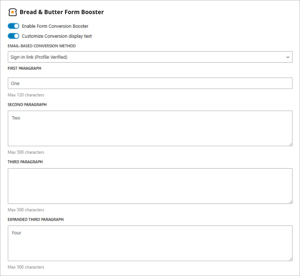
Toggle the slider to enable the Form Booster

Step 4
Optional - Toggle Customize Conversion display text if you'd like to change the default content that appears on the form.
Note: You can edit all or some of the text fields.
Step 5
Optional - Change the Email-based conversion method from 'Email + Password + PIN' to 'Sign-in link' if you want to change the way your users can sign in.

Step 6
Save the page. Your form is now gated.
Don’t use Bread & Butter? Want to learn more about how Bread & Butter solves the four biggest problems facing marketers today? Book a demo and see how Bread & Butter is helping marketers make the most of their first-party data


Seeing changes in your match rates? With the end of third-party cookies & new regulations on how data can be shared (GDPR, CCPA or Data Protection Laws), what are you doing to make sure you aren’t caught out?
FUTURE PROOF YOUR DATA - LEARN MOREAdd authentication & API event tracking to your website/app with a script tag & configuration